I'm moving my client sites off WordPress. Here's why, and how
A freelance web designer on why he's rebuilding a dozen small business websites in Next.js, what WordPress still does better, and what the move looks like from the client's side.
8 min readMichael Overton
For about ten years, nearly everything I built was WordPress. It paid the bills, it did the job, and most of the sites I host still run on it today. So it's a bit of a turn to say that since the autumn I've been quietly rebuilding my client sites, one by one, in something else.
The something else is Next.js. This is the post I'd want to read if I were one of those clients, or a business owner wondering whether the same move makes sense for them.
The short version
A five page brochure website for a pub, an electrician or a builder doesn't need a database, an admin panel, a plugin ecosystem and a PHP runtime sat behind it, waiting to be attacked. It needs to load fast, look right, send an enquiry when someone fills in the form, and stay exactly as it was yesterday. Next.js gives me that with a fraction of the moving parts. Fewer moving parts means fewer things to patch, fewer things to break, and less of your care plan money spent keeping the engine running instead of improving the car.
That's the whole argument. The rest of this is the detail.
What tipped it
Not one thing. A slow build-up, then one busy week.
The plugin treadmill. A typical WordPress site I look after has somewhere between fifteen and thirty plugins. Each one is a small piece of software written by someone else, updated on their schedule, occasionally abandoned. A good chunk of my monthly care work is updating them, checking nothing broke, and quietly replacing the ones that got sold to a company that bolted ads into the dashboard. None of that makes the website better. It just keeps it where it was.
The attack surface. In October two critical bugs in PHP itself were disclosed with a working exploit already in the wild. I had every site patched within ninety minutes, and I wrote about it at the time. But the afternoon made something obvious. A WordPress site is a running program that accepts input from strangers on every request. A Next.js brochure site, built the way I build them, is mostly files. There's a Node process behind it for the forms and a couple of clever bits, and that still gets patched, but the surface a stranger can poke at is a tenth of the size.
Speed, and what it costs to get it. I can make WordPress fast. I've written a whole stack of plugins and tuned servers to do it. But it's work against the grain. Caching layers on caching layers, each one a thing that can serve a stale page or fall over. A Next.js site is fast by default, on a cheap box, with nothing in front of it.
Numbers, because "fast" is cheap to say. Two sites, before and after. The "after" figures are Google's PageSpeed Insights mobile scores, run in November 2026 on slow 4G throttling and an emulated mid-range phone. Mobile is the hard one; desktop flatters everybody. The "before" figures are what the WordPress versions of these sites scored on the same test, from the last checks I ran before switching them off. I'd tuned both, so they're better than a typical WordPress install, not worse.
PageSpeed Insights · Mobile · November 2026
This site
- BeforeAfter
- Largest paint
- 4.6 s
- 2.4 s
- Blocking time
- 420 ms
- 10 ms
- Page weight
- 1.9 MB
- 310 KB
The Good Homecare Co.
- BeforeAfter
- Largest paint
- 5.2 s
- 1.1 s
- Blocking time
- 610 ms
- 30 ms
- Page weight
- 2.4 MB
- 280 KB
The pattern is the same on every site I've moved. The old sites weren't badly built; they were WordPress with a page builder and a dozen plugins, tuned about as well as that stack allows. The new ones hit these numbers on launch day with no tuning at all, because there's nothing to tune: no database on the request path, no plugin scripts, no theme CSS written for every page but this one.
For contrast, my own shop, LCARS Workshop, is still on WooCommerce as I write this and scores 48 on the same test, with nearly 28 seconds of blocking time from cart, wishlist, currency and analytics scripts loading before anyone's clicked anything. It's mid-migration, so that's the before-and-after I'll publish next.
Honesty about who edits what. The pitch for WordPress has always been "you can edit it yourself". In practice, across a decade of clients, I can count on one hand the ones who log in more than twice a year. Everyone else emails me the change, which is fine and what the care plan is for. If I'm making the changes anyway, the CMS is a tax we're both paying for a feature nobody uses.
What Next.js actually is, for the non-technical reader
It's a way of building websites where the pages are generated in advance, as finished HTML, rather than assembled by a database on every visit. The code lives in a Git repository, which is a full history of every change ever made. When I update something, I push the change and the site rebuilds and deploys itself in about a minute. There's no admin panel to log into, no plugins to update, nothing to hack into because there's no login.
Forms still work. Opening hours, events, menus, prices: all of that still changes when you ask me to change it, usually the same day. Analytics still work, better in fact, because I run my own privacy-first analytics rather than bolting Google's on. The difference is in what's underneath, not what you see.
How I'm doing it
I'm not redesigning everything at once, and I'd be suspicious of anyone who told you that was a good idea.
Carbon copies first. For most sites, the first move is a like-for-like rebuild. Same design, same copy, same pages, same URLs. Benstead Building Services, MCK Maintenance and JustElectrix all went this way. The client sees no difference except the site got faster and I stopped emailing them about plugin updates. Every old address redirects to its new one, so nothing Google already knows about the site is lost.
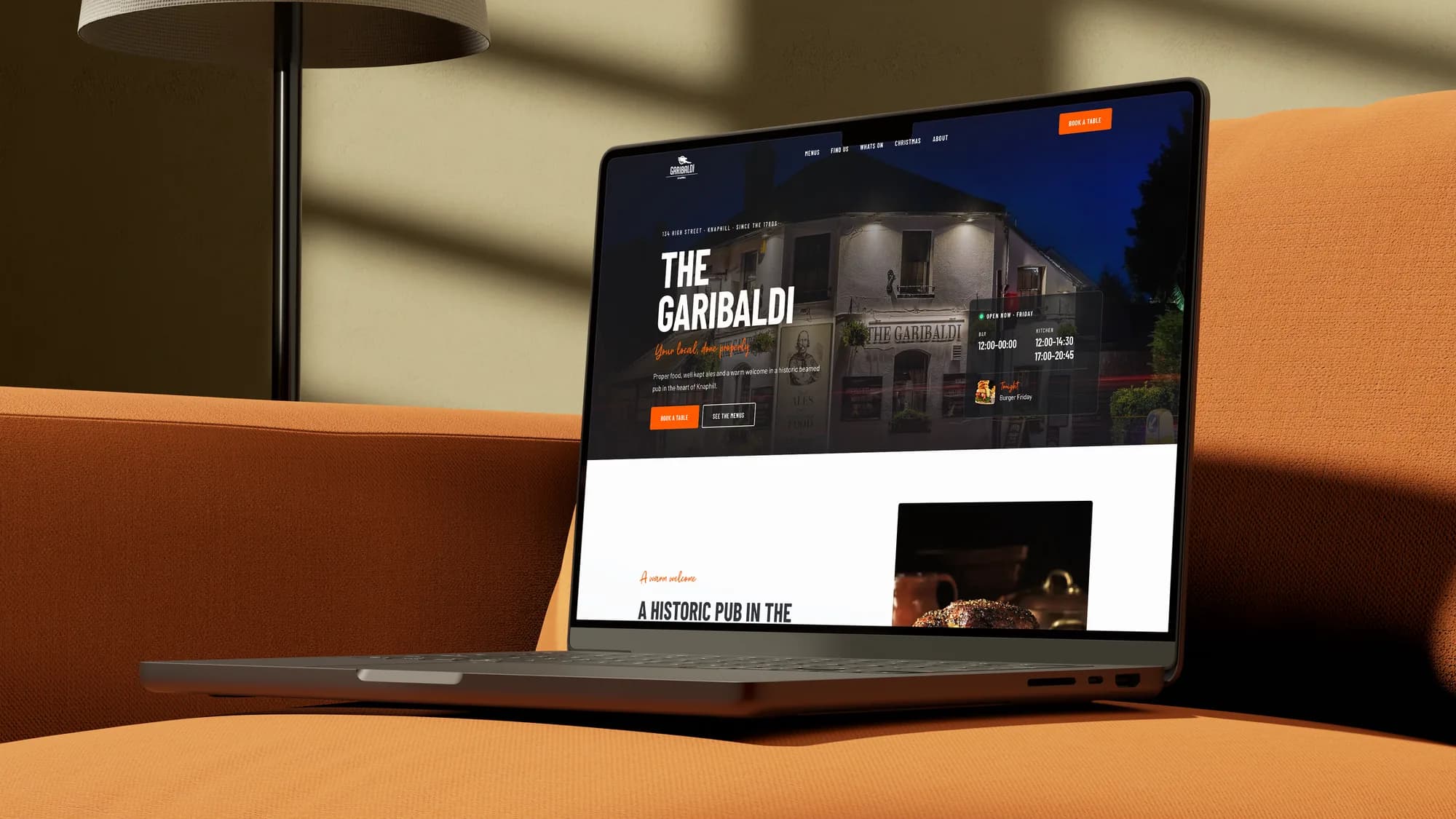
Redesign where there's a reason. The Garibaldi got a proper rebuild at the same time because the old site was overdue one: a new booking flow, tonight's event on the homepage, open-now status that's actually right. Clonestar, my own podcast site, is getting a full revamp because I wanted somewhere to push harder than a client would let me.
Same hosting, same servers. The new sites live on the same infrastructure as the WordPress ones, in their own container each. Nobody's moving host. Email, DNS, certificates: untouched.
The boring bits done properly. Each rebuild gets the same checklist. Forms deliver through a proper transactional email service, not PHP mail. First-party analytics. A full redirect map from the old site. The same 20 minute pre-launch check as everything else. Structured data, sitemap, share images, accessibility pass.
What WordPress still does better
I'd be lying if I said this was a clean sweep.
Shops. WooCommerce is still the right answer for most small online shops, and it's what I run for the clients who sell things. The ecommerce story in the Next.js world is either a hosted platform like Shopify or a lot of custom work. For a busy shop with a hundred products and real stock, WooCommerce wins and I'm not moving those.
Sites with a real editor. If you have someone on your team who writes three blog posts a week and uploads photos every day, a CMS earns its keep. There are headless options that bolt onto Next.js and I'm using one for a client who needs it, but it's extra complexity you should only take on if you'll use it.
Budgets at the bottom end. A WordPress theme and a weekend is still the cheapest way to get something online. A properly built Next.js site is hand-made. My prices reflect that, and I'd rather be clear about it than pretend otherwise.
So the honest rule is: brochure sites, service businesses, portfolios, pubs, trades, podcasts move. Shops and heavy publishing stay, for now. The exception is my own shop, LCARS Workshop, which is moving because I'm prepared to do the custom work on my own time and find out exactly how much of it there is before I'd ever suggest it to a client.
What it means if you're a client
If you host with me, nothing happens without a conversation first. When your site's turn comes round I'll tell you what I'm planning, how long it'll take (usually a week or two of my time, no downtime for you), and whether I think it's worth tidying the design while I'm in there. Your care plan price doesn't change. Your site gets faster, safer, and cheaper for me to look after, which means more of the hours I bill you go on improving it and fewer go on patching it.
If you're not a client and you're reading this because you've been quoted a WordPress site, ask whoever quoted you one question: who's going to update the plugins for the next five years, and what does that cost? If the answer is a shrug, get in touch.
Where it's at
Six sites moved as I write this, five more in progress, and the shops staying put. I'll do a proper write-up on what broke and what surprised me once the batch is done. So far the only thing I miss is the WordPress media library, and even that's a stretch.
The hardest part of the whole thing has been admitting that a tool I spent ten years getting good at is no longer the right default. But that's the job. You build what the client needs, not what you're used to.